Screenshots

The launcher as it looks in version 1.1.5

Captures of the three sections you will use most: browsing the catalog, watching sessions, and changing settings. The window is shown at 1280 by 820.
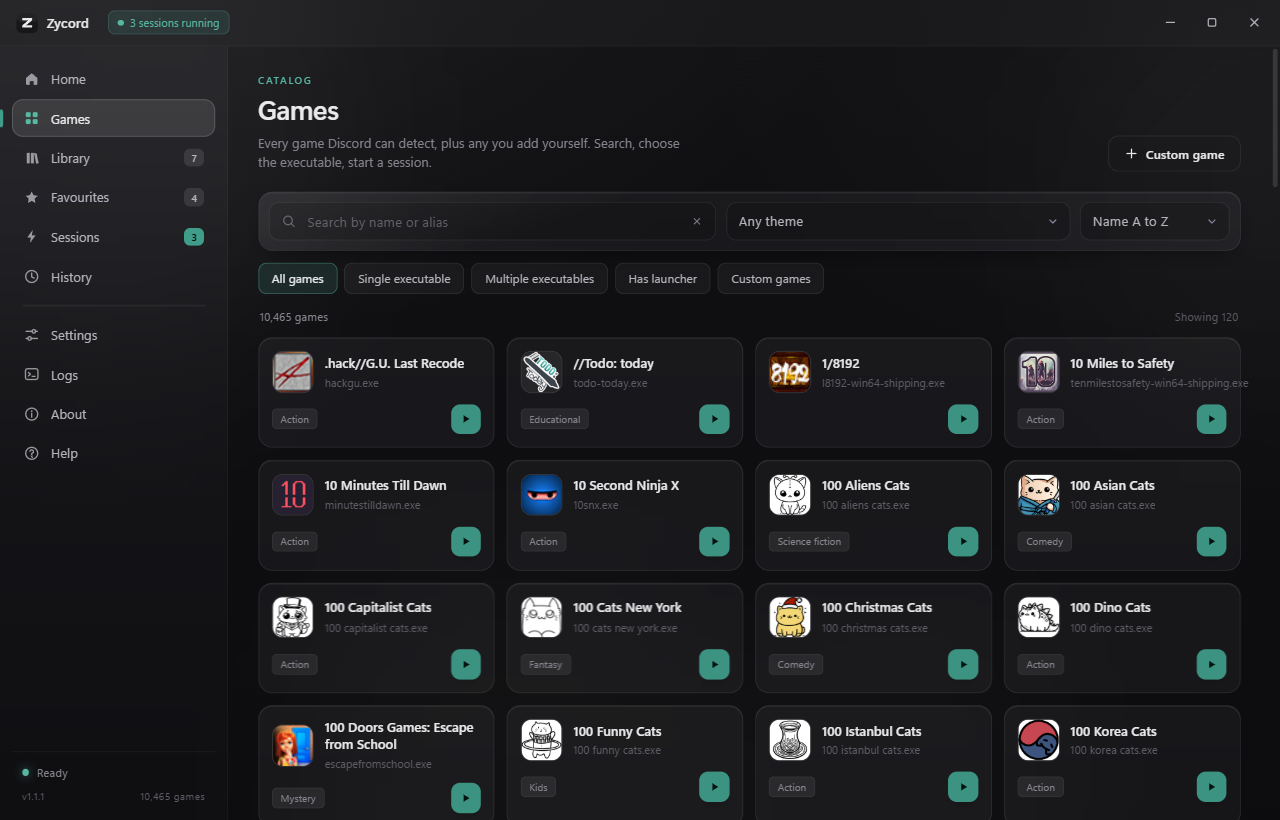
The Games section: a search field, theme filter, sort menu and executable filters above a grid of game cards, each with an icon, name and executable count.
Games. Search, filter and sort 10,465 games, then start one from its card.
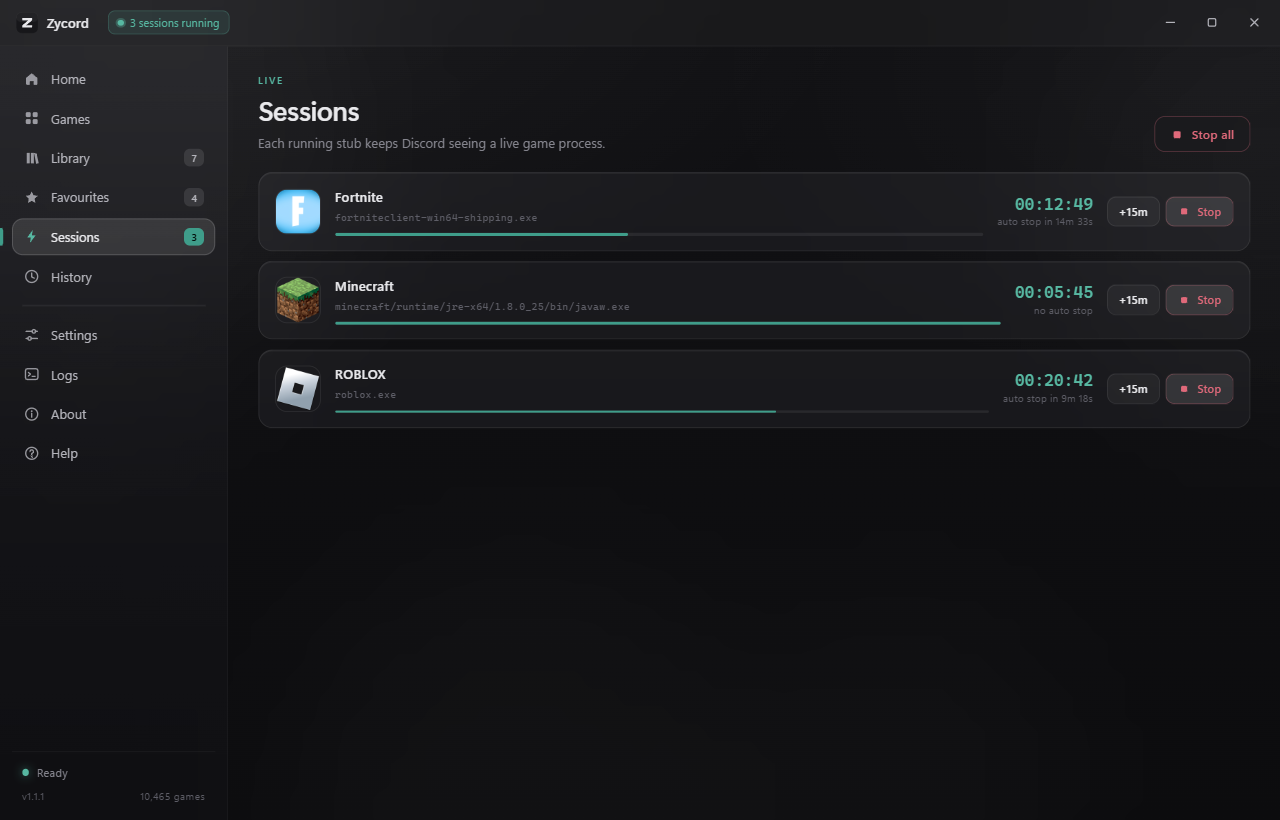
The Sessions section: a list of running sessions, each with the game name, executable, elapsed timer, auto stop state and buttons to extend or stop.
Sessions. Every running stub with its executable, elapsed time and auto stop state.
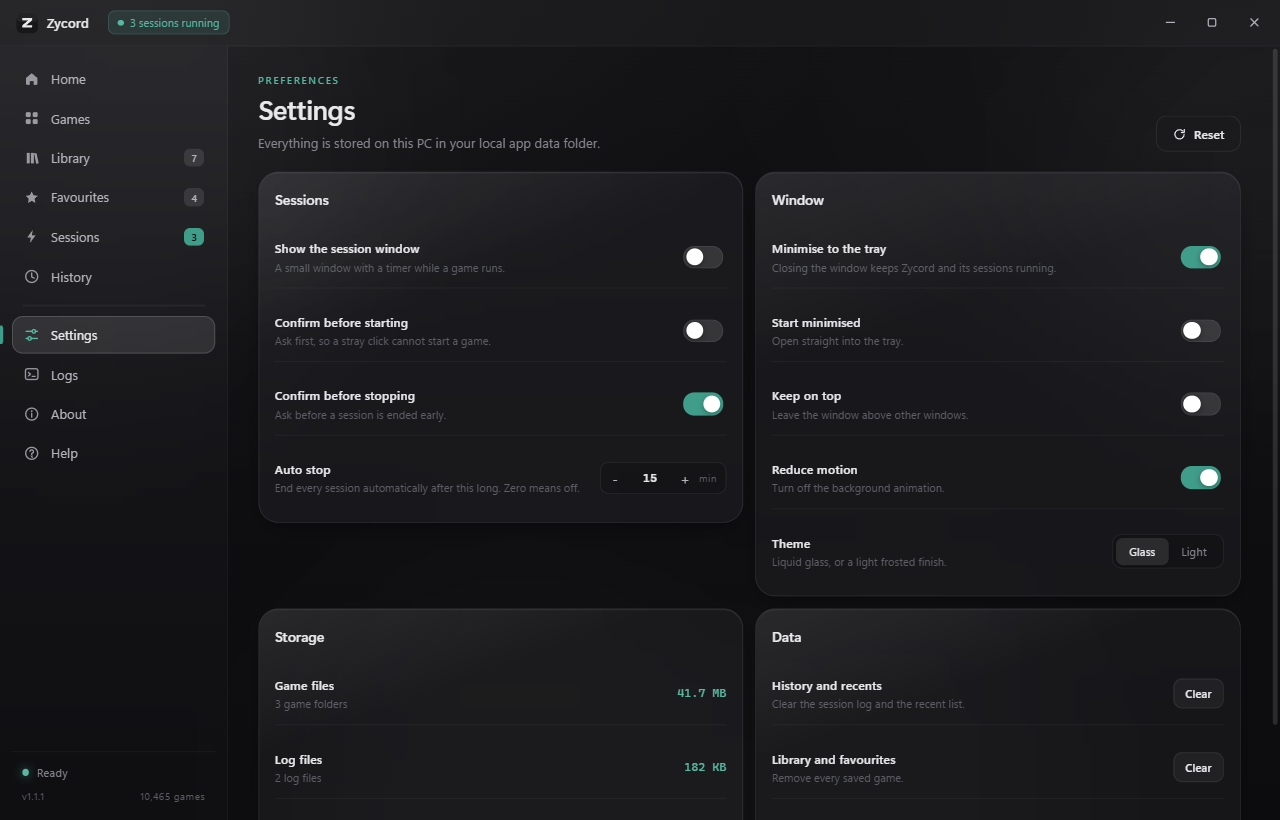
The Settings section: panels for sessions, window behaviour, storage size and data clearing, with switches, an auto stop stepper and a theme choice.
Settings. Session, window, storage and data controls in one place.

What the captures show

Games

A local catalog

The grid is rendered from the catalog file shipped with the application. No server is queried to fill it.

Sessions

One stub per game

Each row is a session Zycord started. Before stopping anything it confirms the process still points at the file it created.

Settings

Stored on this PC

Every switch writes to the settings file in your local app data folder. Nothing is synced anywhere.